


Describe your goal
Describe the task in your own words. Whether it’s a batch of images or a video edit, start with what you want to achieve.
 Jevbot
AUTOMATION FOR YOUR MAC
Tell Jevbot what you need. Let it do the repetitive work across your Mac apps.
Built for Mac · macOS 14+ · Apple Silicon
YOUR TASK, JEVBOT’S NEXT MOVE
“Turn these café clips into a short video with a relaxed pace.”
 A slow morning
YOUR TASK, JEVBOT’S NEXT MOVE
“Retouch blemishes in these portraits. Keep the natural skin texture.”
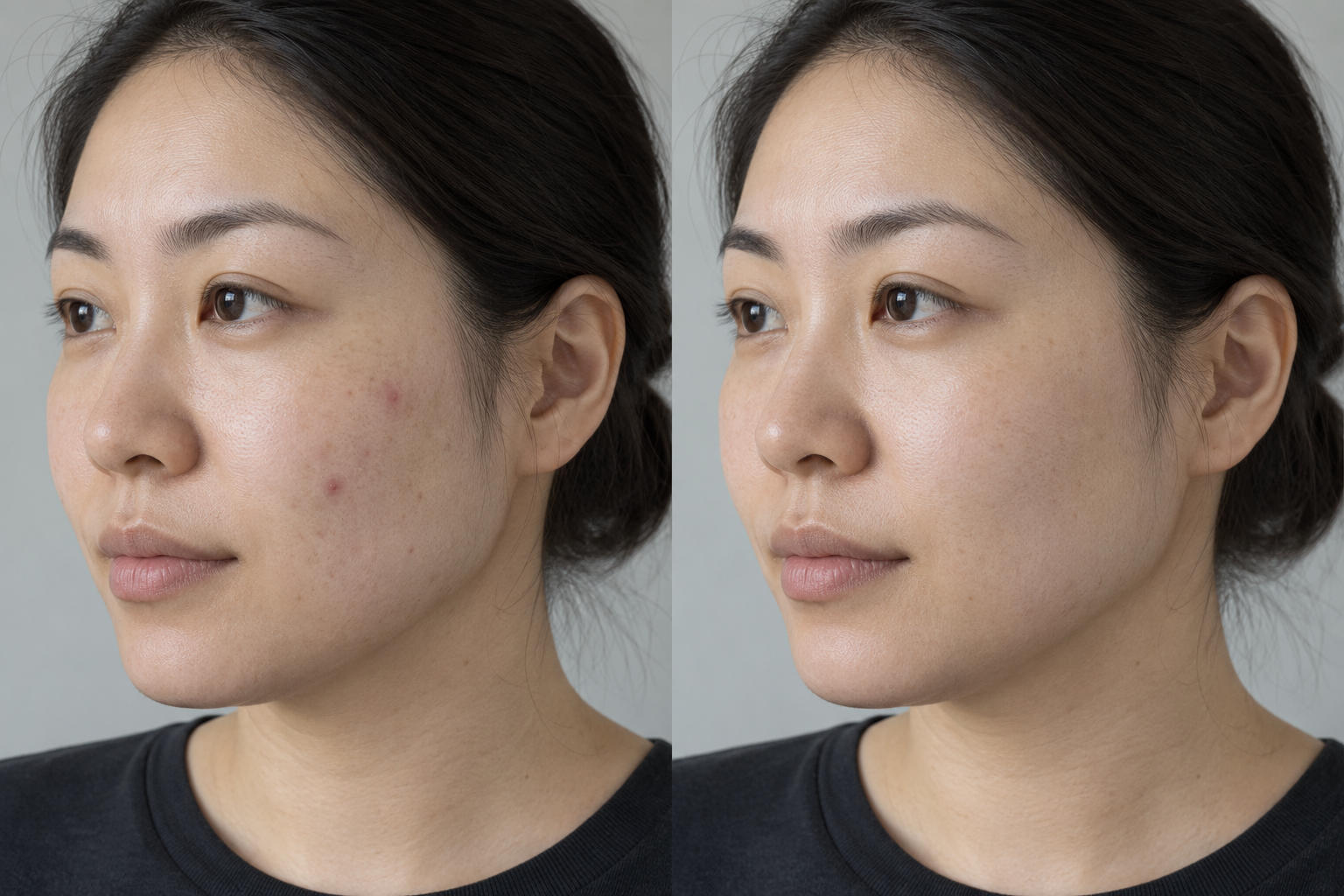 BeforeAfter
Normal 100%
Illustrative workflow, not a live recording. Portrait comparison is AI-generated.
PUT YOUR APPS TO WORK
Describe the task in your own words. Whether it’s a batch of images or a video edit, start with what you want to achieve.
Jevbot connects to your apps and performs tasks where you already work, bringing automation into your existing workflow.
Review the results, ask for changes, and decide what’s next. Delegate repetitive work while keeping the important decisions.
AUTOMATION IN ACTION
Start with two examples: batch retouching and video editing.
Turn app capabilities into tasks you can delegate.
 COMPOSITOR / IMAGE AUTOMATION
“Retouch blemishes in these portraits, keeping natural skin texture.” Let Jevbot handle the batch in Compositor, then review the details yourself.
BeforeAfterNormal 100%
 PALMIER PRO / VIDEO AUTOMATION
Describe the edit you have in mind and let Jevbot help in Palmier Pro. Focus on the story, the pacing, and the finishing touches.
A slow morningEditor illustration · Not an actual recording
The portrait comparison is an AI-generated illustration, not measured Compositor output. Task progress is illustrative.
AUTOMATION, UNDER YOUR CONTROL
Let Jevbot handle repetitive actions.
Stay focused on goals, progress, and results.
Review, refine, and decide what’s next.
From images to video, automation follows your direction.
ONE AGENT CONNECTS MANY APPS
Retouch in Compositor, edit in Palmier Pro, prepare replies in chat apps.
Different tasks. The same Jevbot.
BEFORE YOU START
You’ll need an Apple Silicon (M-series) Mac running macOS 14 or later. Intel Macs are not currently supported.
Download and install Jevbot, grant Accessibility or Screen Recording permissions as needed, and configure your model service. Follow the release page for setup instructions.
The chat assistant suggests replies and can fill the message box. It stops there. You review and send the message yourself.
Screen text recognition can run locally. When you use a model service, relevant task content may be sent to that provider. API keys are managed through the system Keychain or environment variables.
BRING AUTOMATION TO YOUR APPS
Start with one repetitive task. Let one Agent connect your work.
Follow updates and share your experience.